Casino
  Sports
  Promos


 Search
Lucky Rollers App: Download for Android, iOS & Desktop
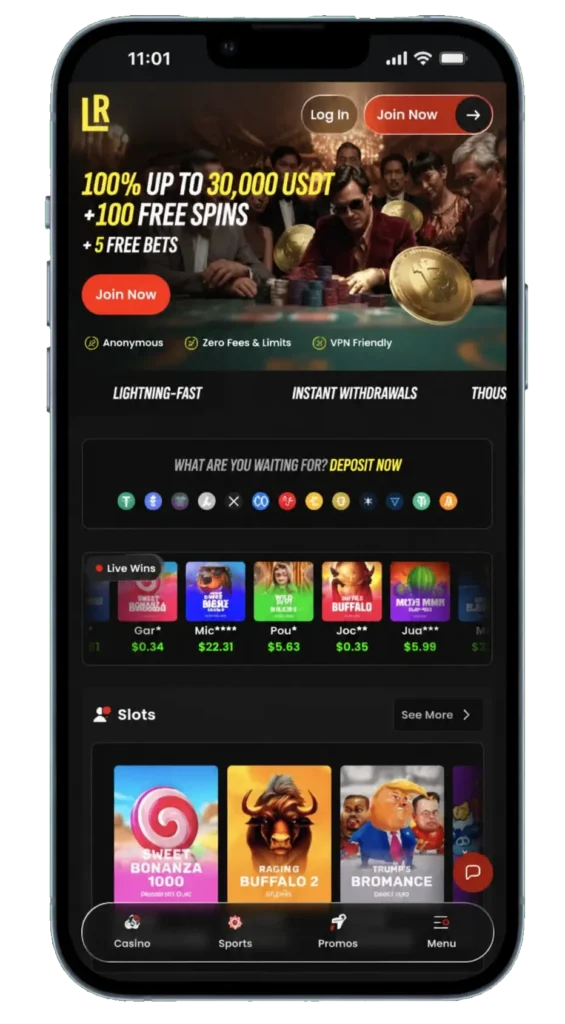
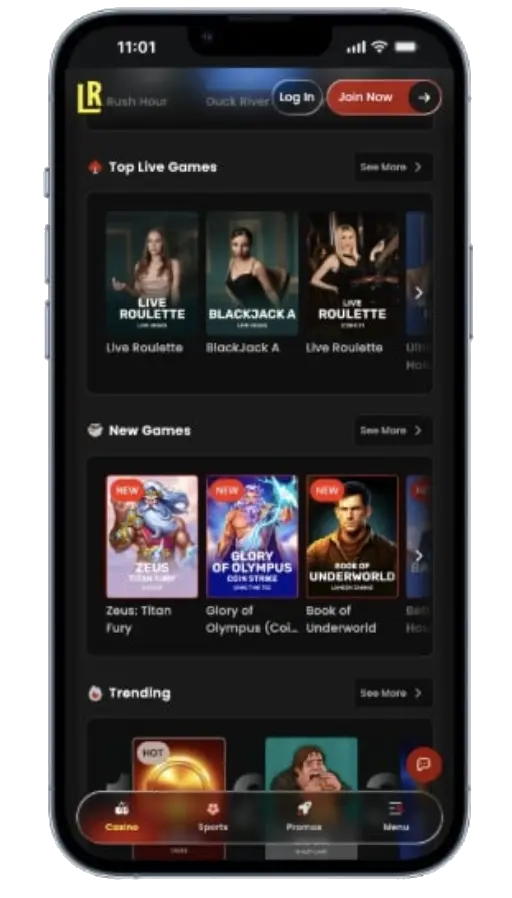
I’ve been playing on the progressive casino Lucky Rollers app since my second week of testing this casino. Although I prefer official apps, the PWA has allowed me to benefit from its 6,500+ game library, claim reload bonuses and participate in its tournaments with zero stability issues.
The app is available in NZ for free download. My review will help you learn how to use it, which devices are compatible and other key factors, but if you’re looking for quick information about what it does, consult the table below.
| Device Compatibility | Desktop, smartphones, tablets |
|---|---|
| Application Types | PWA and browser-based instant play |
| Free Download | Yes |
| Download Size | <1 MB |
| Download Channel | The website |
| Bonus for App Users | Up to 30,000 USDT, 100 free spins and 5 free bets over 3 deposits |
| Mobile Games | 6,500+ |
Is there a LuckyRollers Casino App?
There are no official LuckyRollers Casino app files or APKs, but you can download the Progressive Web App on the casino’s site. Each type of casino app comes with a set of advantages and tradeoffs, so if you’re wondering what you can get from Lucky Roller’s PWA, here’s the gist of it.
| Progressive Web App (PWA) | Official Apps |
|---|---|
| Minimal storage needed | Can weigh over 100 MBs |
| Not reliant on regular updates | Must be patched frequently to remain stable |
| Can be used on any modern PC, tablet or phone | Exclusively available on phones with specific operating systems (iOS or Android) |
| No new features, looks and performs the same as the browser-based site | Faster loading, touch-optimised controls, biometric login, two-factor authentication |
| Mirrors the website’s bonuses, promotions and contests | Native apps often include mobile-only promos and/or games |
On a side note, android Package Kits (APKs) are typically offered by third-party websites. I rarely download these, as finding a trustworthy APK source for the app you’re looking for can be frustrating.
Lucky Rollers Download App for All Platforms
The process for the downloading of Lucky Rollers mobile app is generally simple, but it varies by platform. Given that there is only a Web App, I’ll list the steps for how you can install it on your desktop or phone, so follow the steps below:
- Visit the website from your device’s browser.
- Tap the Install on the right side of the address bar (Monitor Icon).
- Click “Install” when the pop-up window appears.
- Launch the Web App from the newly created shortcut.
- Fill out the signup form and make your first deposit of at least 20 USDT.
- This will qualify you for a 100% bonus of up to 15,000 USDT, 50 free spins and 5 free sports bets.
- Play your favourite pokies to meet the 40x rollover requirement.
If the casino decides to launch native apps, you’ll be able to find them in the Google Play Store (Android) or the Apple App Store (iOS).
APK Download and Install Lucky Rollers Android App
At the time of writing, I couldn’t find any APK Lucky Rollers Casino app files. The site is new, so you may eventually find Android Package Kits at various third-party platforms. In case you don’t know how to download and install APKs, here’s how it usually works:
- Research and look for APK on popular APK-sharing platforms.
- If required, sign up on the APK site; if not, just find the latest version and download the file.
- On your phone, open Settings and go to Security.
- Select Install Unknown Apps and toggle it on.
- Find the APK in your Downloads folder and tap it to begin installation.
- Find the APK on your home screen.
Add PWA to Home iOS Screen
You can add the Lucky Rollers io app to your iPhone’s or iPad’s screen. The process was a breeze for me – I used the latest Safari browser to access the site and pressed the installation button from the top right. You can do it by following the instructions below:
- Open your Safari browser and visit the website.
- Press the Share button.
- Scroll and tap Add to Home Screen.
- Select Add when prompted.
- Choose the location for your Lucky Rollers iOS app.
The progressive app for iOS devices works, looks and feels the same as the desktop app you’d add on your PC. If you’ve already made an account with this site, you can use your signup details to resume playing. If not, fill out the registration form, read the rules for the 100% first deposit bonus and load at least 20 USDT to claim it.
Windows and macOS PWA Install on Desktop
I’ve had the desktop application for a couple of days and found it equally fun and easy to use as the web apps on my other devices. The installation process was even simpler, though – the Install Lucky Rollers PWA is easier to spot and with a few taps, you’ll be ready to play. Follow these steps to learn how the setup works:
- Go to the website.
- Look for Install LuckyRollers Casino monitor icon in the address bar.
- Press Install when prompted.
The shortcut will be made on the first available spot on your Windows/macOS device, so feel free to drag-and-drop it wherever you like. Double-click the shortcut to launch the Progressive Web App and have fun exploring the casino’s collection of 6,500+ games.
Lucky Rollers App Features
The Lucky Rollers mobile app mirrors the site’s features perfectly. You’ll get the same signup deal, get to play the same pokies and live dealers, scale the same VIP ladder and have access to identical customer care channels, regardless of whether you’re playing from a browser or the Web app. Consult the table below for more specific info about app’s core features:
| Feature | Details |
|---|---|
| Mobile Games | 6,500+ |
| Shortcuts/Filters | New Releases, Promotions, Casino Games, Sports, Tournaments, Loyalty Shop, Cashback, Live Support |
| App Types | Browser instant-play, Web App |
| Mobile Welcome Bonus | Up to 30,000 USDT + 100 Free Spins |
| VIP Program | 7-tier loyalty scheme |
| Loyalty Perks | Level-up bonus, Convertible Points, Improved Payout Limits, Scaling Cashback |
Mobile Game Selection
These are the top 5 titles you can play from your Lucky Rollers download app:
- Lucky Trio Pots: Hold and Win by Betora – featured in the welcome bonus free spins
- Sweet Bonanza 1000 by Pragmatic Play – perfect for pokie beginners
- Wanted Dead or a Wild by Hacksaw Gaming – one of the most popular bonus buy games out there
- San Quentin 2: Death Row by Nolimit City – a great choice for high rollers due to its sky-high top win limit
- Reel of Ra by BGaming – one of the newest high-RTP pokie games
App vs Browser
I’d say that the convenience and slightly faster loading times are some of the main reasons I prefer the Lucky Rollers Android app over the browser-based gameplay. Even though there are no major differences between them from a functional perspective, I’d still like to compare how they work to help you decide:
| App Experience | Browser-based Gameplay |
|---|---|
| Compatibility with all modern devices | Works as an instant-play casino from any browser |
| Easy download with minimal storage needs | No downloads or space required |
| Smooth and stable overall experience | Generally stable, but the pages won’t always load fast |
| Instant deposits and fast payouts with crypto | Supports the same banking methods as the PWA |
| 100% first deposit bonus up to 15,000 USDT, 50 FS and 5 Free Bets | Identical signup deal is available to desktop and mobile players |
Mobile Security and Data Protection
The LuckyRollers app is perfectly secure, thanks to smart contracts, SSL encryption, firewalls and the fact that transfers are fully anonymised. Here’s a full breakdown of how your personal and banking information is kept secure here:
- 256-bit encryption makes all on-site data unreadable to anyone without the digital key
- Crypto transfers are anonymous and processed through secure blockchains
- HTML5 and firewall technologies add additional layers of protection
Troubleshooting and Common App Installation Issues
I had no problems installing and using the LuckyRollers app, but I’d like to go over some of the most common issues in case you bump into some of them:
| Issue | Platform | Cause | Fix |
|---|---|---|---|
| No app install prompts | iOS, some macOS devices | Automatic installation prompts won’t appear by default | Manually initiate the installation from the Share/Address Bar |
| Failed app install | Any device | Insufficient storage space or some app permissions may be missing | Double-check if you haven’t blocked app downloads from untrusted sources in Settings. |
| App won’t launch | Any device | The app wasn’t installed properly or its data got corrupted | Completely remove the Lucky Rollers app and reinstall |